

The best cheap web hosting services, according to our market research, are Hostinger, HostArmada, and Verpex.
To choose the best budget hosting provider, you need to look beyond just low pricing. Key factors include real-world performance (speed and uptime), transparent renewal pricing, essential features like SSL, backups, and email, as well as accessible 24/7 customer support. It’s also important to consider upgrade flexibility, hidden costs, and long-term value – not just the promotional offer on the front page.
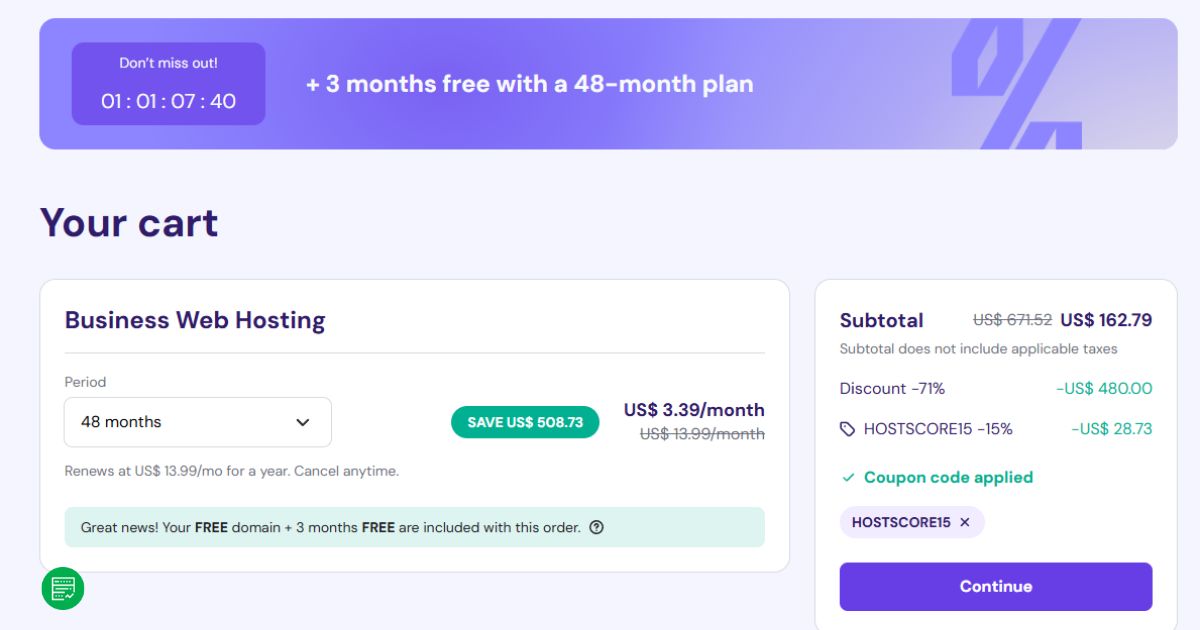
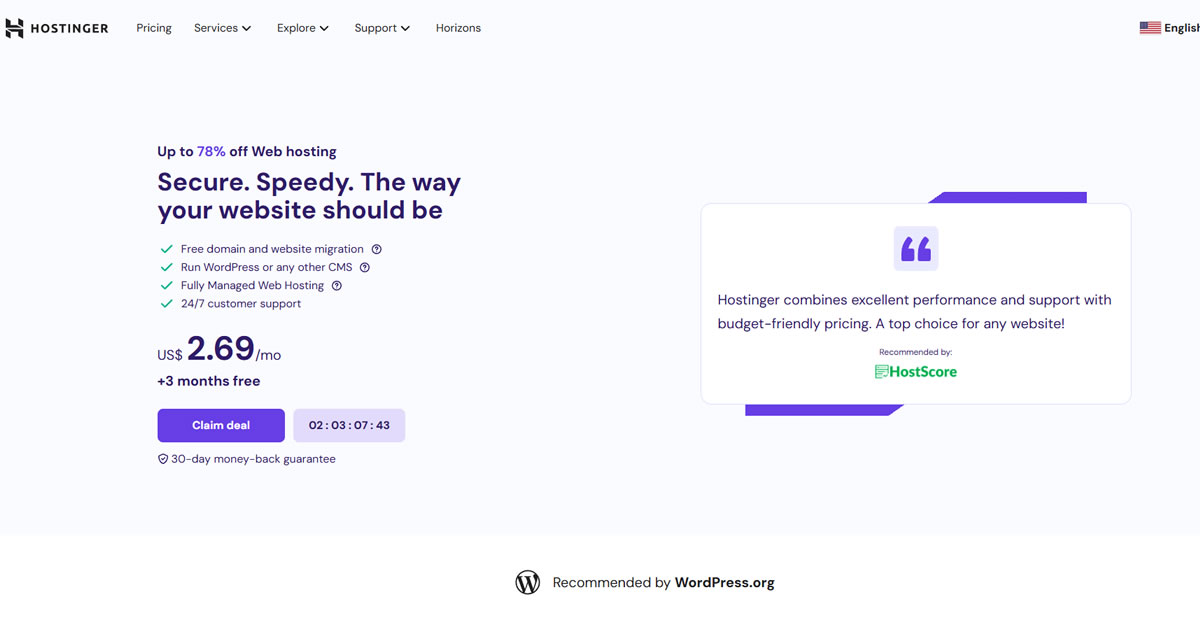
Hostinger is the best cheap web hosting provider overall. It offers fast server performance with data centers in multiple continents, consistently low introductory pricing (starting as low as $1.99/month), and a beginner-friendly control panel (hPanel) with a full suite of tools including WordPress auto-installer, caching, and website builder. With our exclusive coupons: HOSTSCORE and HOSTSCORE15, Hostinger becomes even cheaper when you order through our link, making it one of the most cost-effective options available today.
HostArmada, Verpex, and other providers follow closely behind, offering similarly affordable pricing with distinctive advantages. HostArmada stands out with its stable server speeds, cPanel-based management, and generous resource allocations even on entry plans. Verpex, on the other hand, appeals to global users with its flexible data center choices, free daily backups, and solid live chat support.
The Cheapest Hosting Plans Compared
| Provider | Cheapest Shared Plans | Cheapest VPS Plans | Free Domain? | Storage Space | Money Back Guarantee |
|---|---|---|---|---|---|
| Hostinger | $1.99/mo* | $4.99/mo | Yes | 20 GB | 30 days |
| HostArmada | $2.49/mo | $29.95/mo | Yes | 15 GB | 45 days |
| Donweb | $1.99/mo | $3.45/mo | Higher plans | 50 GB | 30 days |
| Verpex | $3.00/mo | $10.00/mo | Yes | 30 GB | 45 days |
| Hosting.com | $1.99/mo | $4.99/mo | Yes | 15 GB | 30 days |
| FastComet | $1.79/mo | $14.99/mo | Yes | 10 GB | 45 days |
| GreenGeeks | $2.95/mo | $39.95/mo | Yes | 50 GB | 30 days |
| NameCheap | $1.48/mo | $6.88/mo | Yes | 20 GB | 30 days |
* Price listed is before special discount using our exclusive promo code “HOSTSCORE15”.
Note: While our HostScore ratings offer a data-backed overview of hosting performance, choosing the best cheap hosting depends on your specific needs — whether it’s renewal pricing, customer support, or specific features. This cheap web hosting guide is designed to help readers who are actively looking for the affordable web host based on real-world use cases and key decision factors.
Hostinger

Hostinger has built its reputation on delivering fast, budget-friendly hosting to users worldwide. The company operates data centers across Europe, Asia, and the Americas to reduce latency and maintain reliable uptime in most regions. Its custom hPanel and AI-powered Website Builder simplify site management for beginners, while developer tools like Git integration, WP-CLI, and SSH access support more advanced workflows.
Shared hosting plans start at promotional rates around $1.99/month and include a free SSL certificate, managed WordPress installation, a free domain, and email accounts — though renewal pricing is significantly higher after the first term. Hostinger also offers Hostinger Horizons, an AI app builder that generates working MVPs in minutes. Combined with Hostinger Academy resources and a 30-day money-back guarantee, new users get a low-risk way to launch online.
Performance remains competitive at this price tier. Hostinger runs on LiteSpeed Web Server with built-in caching and account-level resource controls to limit “noisy neighbor” impact. While entry plans now come with tighter resource and feature boundaries than in previous years, the platform still balances affordability, speed, and usability better than most budget hosts. Using our coupons HOSTSCORE or HOSTSCORE15 helps offset first-term costs for HostScore readers.
Exclusive Hostinger Coupons – Save 10% or 15%!
Use promo code ‘HOSTSCORE’ for 10% off any plan — Or go big with promo code ‘HOSTSCORE15’ on a 4-year plan and unlock 15% off. Longer subscription = bigger savings. Claim Your Hostinger Deal Here!
Cheapest Hosting Plans Available
Number of Websites Allowed
HostScore
Hostinger Pros
- Affordable – Plans start at $1.99/month and support up to 25 websites.
- Global network of data centers in Europe, Asia, North America, and South America
- AI-powered tools including Website Builder (HWB), Horizons app builder, and Kodee assistant
- Custom-built, user-friendly control panel (hPanel)
- Hostinger API with MCP integration for programmatic control
- Multiple payment methods accepted, including crypto and digital wallets
- Extra 15% off with our exclusive coupon code “HOSTSCORE15”
Hostinger Cons
- Significant price increases upon renewal
- No Windows hosting support
- Lower-tier shared plans come with resource limits that may not suit high-traffic sites
- Websites built with Hostinger Website Builder cannot be migrated to VPS or other hosts
HostArmada

HostArmada has quickly earned a reputation as one of the best options for affordable hosting without compromising quality. With shared hosting plans starting at highly competitive rates, it caters to budget-conscious users, including individuals, small businesses, and bloggers looking to establish their online presence. Despite its low signup pricing (and renew at competitive rates), HostArmada includes features typically reserved for premium plans, such as NVMe storage, free SSL certificates, daily backups, and a Web Application Firewall (WAF). These inclusions make it a standout choice for those seeking value-packed hosting at an entry-level price.
What truly sets HostArmada apart as a budget-friendly provider is its commitment to performance and reliability.
All shared plans come with NGINX servers for faster loading times and are supported by a global network of data centers to minimize latency. While the renewal rates are higher, the introductory prices allow users to test the platform affordably. For anyone looking for a hosting provider that balances cost and functionality, HostArmada is an excellent option that punches above its weight in the budget hosting category.
Cheapest Hosting Plans Available
Number of Websites Allowed
HostScore
HostArmada Pros
- Competitive pricing
- Daily remote backups with up to 21 days of restore points
- NGINX server and NVMe storage for all shared hosting plans
- 45-day money-back guarantee
- Free malware scans and Web Application Firewall (WAF) on all shared hosting plans
- Supports hosting of legal adult content websites
- Wide range of server locations
HostArmada Cons
- Price increases upon renewal
- Entry-level plan supports only one website
- Advanced speed features like dynamic caching are limited to the highest-tier shared plan
Donweb

DonWeb is a long-running hosting provider with a strong focus on Latin American markets. It offers some of the lowest shared hosting prices available, making it a practical option for freelancers, small businesses, and first-time site owners working with tight budgets. For websites targeting LATAM traffic, its regional infrastructure is a deliberate strength rather than a compromise.
DonWeb differentiates itself by pairing low pricing with features that are often limited on cheap hosting plans. Mid-tier shared plans include unlimited email accounts, AI-powered malware and firewall protection, and basic performance optimizations. The company also holds ISO 9001:2015 and ISO 45001:2018 certifications, which is uncommon at this price point and suggests a more structured operational setup.
Beyond shared hosting, DonWeb provides a clear upgrade path to cloud and bare metal servers, allowing users to scale without switching providers. Shared hosting server locations remain largely Argentina-based, and backup frequency is weekly rather than daily. Even so, for users prioritizing affordability, regional relevance, and long-term upgrade options, DonWeb fits well within the cheap hosting category.
Cheapest Hosting Plans Available
Number of Websites Allowed
Donweb Pros
- Very low shared hosting entry price compared to global budget hosts
- Strong focus on Latin American users and regional infrastructure
- ISO 9001:2015 and ISO 45001:2018 certified operations
- Optimized servers with Apache / LiteSpeed
- AI-powered security features including malware detection and firewall protection
- Clear upgrade path from shared hosting to cloud and bare metal servers
- Long operating history reduces risk compared to newer budget providers
- Guides, workshops, and video tutorials included
Donweb Cons
- Weekly backups only for entry-level shared hosting
- Not optimized for latency-sensitive sites outside Latin America
Verpex

Verpex is a relative new web host with a growing footprint across Asia, Oceania, Europe, and North America. It is known for its affordable shared hosting plans, simple setup, and globally distributed data centers, which make it attractive to first-time site owners and small agencies.
Shared hosting with Verpex starts from $3/month (renews at $6/mo) and includes daily backups, free SSL certificates, unlimited email accounts, and a free domain name on annual billing. Higher-tier shared plans also support hosting multiple websites. Every plan comes with one-click WordPress installation, cPanel access, and unlimited free migrations.
Based on our market study, what sets Verpex apart is its wide choice of server locations and generous feature set. For freelancers or international clients managing several small websites, Verpex provides reliable, low-cost hosting that doesn’t require deep technical skills.
Exclusive Deal: Get an Extra 50% discount at Verpex!
Use promo code ‘MOVEME’ at checkout to enjoy an additional 50% discount on your first bill. Click here to claim your discount and start saving with Verpex today!
Cheapest Hosting Plans Available
Number of Websites Allowed
HostScore
Verpex Pros
- Budget-friendly entry pricing on shared and VPS hosting plans
- 45-day money-back guarantee on shared/reseller plans (longer than industry standard)
- Daily backup included in all shared hosting plans at no extra cost
- Unlimited free site migrations
- Choice of 8 global data centers across five continents
- Wide hosting selection including Windows, reseller, and managed servers
Verpex Cons
- Steep renewal pricing after the first term (up to 90% higher than intro rates)
- Short refund window on managed VPS (7 days compared to 30+ with some competitors)
GreenGeeks

GreenGeeks sets itself apart in the crowded hosting market with a strong environmental commitment. For every unit of energy their servers consume, they purchase 3x that amount in renewable energy credits. This makes GreenGeeks one of the few truly eco-conscious web hosts on the market, a compelling option for nonprofits, creators, and businesses who want to reduce their carbon footprint.
Their shared hosting plans start at $2.95/month and come with SSD storage, cPanel access, unlimited email accounts, nightly backups, and a free domain for the first year. You also get free CDN integration, staging tools, and built-in security features. WordPress users benefit from auto-updates, one-click install, and performance optimizations tailored for CMS-driven sites.
Beyond its green angle, GreenGeeks maintains good server performance across data centers in the U.S., Canada, and Europe. With responsive customer support and a rich feature set even at entry level, it offers a unique combination of sustainability and value that makes it ideal for socially conscious website owners.
Cheapest Hosting Plans Available
Number of Websites Allowed
HostScore
GreenGeeks Pros
- 300% green energy offset with RECs
- Affordable entry pricing for shared and WordPress hosting plans
- Free daily backup for all shared hosting plans
- Partnership with One Tree Planted plants a tree for every new hosting account
- Free website migration assistance
- Enhanced scalability options with VPS and dedicated plans
GreenGeeks Cons
- Higher renewal rates across shared and WordPress plans
- Slightly lackluster customer service, with complaints of limited support for customers transferring domains out of the platform
Hosting.com

Hosting.com, formerly known as A2 Hosting, has been repositioned under the World Host Group umbrella with a focus on affordable, developer-centric hosting solutions. Despite the rebrand, it retains its core strengths: flexible configuration options, developer toolsets, and high-speed performance thanks to NVMe SSDs and optimized server environments.
The cheapest shared hosting plans start around $1.99month, offering key features like cPanel access, unlimited email accounts, free site migrations, and multiple PHP versions. SSH access, Git integration, WP-CLI, and support for staging environments are available even on some entry-level plans—making Hosting.com ideal for technical users who want control without paying for a VPS.
While the brand may be less familiar post-rebrand, the infrastructure remains robust. Hosting.com operates from data centers in the U.S., Netherlands, and Singapore, giving it broad reach for international and regional traffic. If you’re a developer or an agency looking for affordable but flexible Linux hosting, Hosting.com is a solid option that quietly gets the job done.
Cheapest Hosting Plans Available
Number of Websites Allowed
HostScore
Hosting.com Pros
- Developer-friendly: Node.js, Python, Redis, and SSH acces even on shared plans
- Turbo plans include NVMe, LiteSpeed, and HTTP/3 tech
- Excellent email hosting deal for small businesses
- Free cPanel site migrations
- Cheap unmanaged VPS with strong specs
Hosting.com Cons
- Renewal rates jump steeply after promo
- One website limit on all Turbo plans
- Lacks modern cloud or autoscaling options
- Managed VPS plans have become more restrictive post-A2 migration
NameCheap

NameCheap promotes some of the lowest shared hosting prices in the market, with entry plans costing under $2 per month for the first year. For that price you get a free domain, SSL, email accounts, and a cPanel interface. However, the feature set is basic, and performance add-ons like CDN acceleration or advanced caching require extra fees.
Shared plans include unmetered bandwidth, but server resources are limited and optimization features are minimal on lower tiers. NameCheap also charges extra for faster UK hosting or its Supersonic CDN, which can cost more than the hosting plan itself.
The VPS line is advertised as cheap but comes unmanaged and bare — control panels and management add-ons can push costs much higher. While attractive for hobbyists who want the lowest upfront price, NameCheap hosting is best suited for very simple websites or users who want domain and hosting bundled together, not for businesses or developers who need scalability.
Cheapest Hosting Plans Available
Number of Websites Allowed
HostScore
NameCheap Pros
- Budget-friendly shared hosting plans with free domain and SSL
- Competitive domain pricing with free lifetime privacy protection
- Free site migration for new customers
- Developer-friendly environment with Perl, Ruby, and Python support on shared hosting
NameCheap Cons
- Intro prices increase at renewal, sometimes doubling
- VPS plans are raw and unmanaged — control panels and management add significant extra cost
- Extra fee to host in UK instead of default US data center
- Weak security on shared hosting
Setting up hosting can be confusing. That’s why we created HostScore Setup Help, a done-for-you service for getting your hosting configured the right way.
We help with SSL installation, DNS & nameserver setup, WordPress install or migration, and security tuning. One-time fee. Backed by a 100% refund guarantee.
Explore Our ServicesCheap Web Hosting by Use Case
Choosing the best cheap hosting depends heavily on what kind of site you’re building and what features you need. Table below shows a quick comparison of our top picks based on essential features, starting price, and value.
| Provider | Cheapest Shared Plans | Cheapest VPS Plans | Free Domain? | Storage Space | Money Back Guarantee |
|---|---|---|---|---|---|
| Hostinger | $1.99/mo* | $4.99/mo | Yes | 20 GB | 30 days |
| HostArmada | $2.49/mo | $29.95/mo | Yes | 15 GB | 45 days |
| Donweb | $1.99/mo | $3.45/mo | Higher plans | 50 GB | 30 days |
| Verpex | $3.00/mo | $10.00/mo | Yes | 30 GB | 45 days |
| Hosting.com | $1.99/mo | $4.99/mo | Yes | 15 GB | 30 days |
| FastComet | $1.79/mo | $14.99/mo | Yes | 10 GB | 45 days |
| GreenGeeks | $2.95/mo | $39.95/mo | Yes | 50 GB | 30 days |
| NameCheap | $1.48/mo | $6.88/mo | Yes | 20 GB | 30 days |
What is the Best Cheap Hosting for WordPress?
The best cheap hosting for WordPress is Hostinger. It combines fast server response times, LiteSpeed caching, a one-click installer, and optimized auto-updates for WordPress users. Even on its entry-level plan, Hostinger includes staging, automatic core and plugin updates, and full LiteSpeed Cache integration. Use promo codes “HOSTSCORE” or “HOSTSCORE15” at checkout to get additional discounts on top of Hostinger’s already low prices.
What is the Best Cheap Host for Small Businesses?
HostArmada is the best pick for small business websites. It delivers stable performance, automatic backups, and generous resource allocations, making it suitable for sites that need to stay online reliably. You also get phone and live chat support with helpful agents who can assist with technical issues.
GreenGeeks is another great option for mission-driven businesses. Their eco-friendly branding and solid infrastructure make them ideal for small agencies, shops, or NGOs that care about sustainability and uptime.
What is the Best Cheap Host for Email Hosting
The best cheap host for email hosting is HostArmada. Unlike many budget providers that offer limited or paid email features, HostArmada includes unlimited email accounts on all plans – even their entry-level Start Dock plan. Users can easily set up business-branded email addresses (like [email protected]) using cPanel’s intuitive Email Accounts panel. You’ll also get access to Webmail clients like RoundCube and Horde, along with anti-spam tools, autoresponders, email forwarding, and SPF/DKIM records to improve deliverability.
Hosting.com (formerly A2 Hosting) is another strong contender when it comes to cheap email hosting. While its branding has changed, its focus on developer and business users means it still offers full-featured email support across all shared hosting tiers. You’ll get multiple email protocols (POP3, IMAP, SMTP), filtering rules, virus scanning, and mailing list tools. Hosting.com also includes unlimited email storage and forwarding, which is valuable for businesses running multiple inboxes or team mailboxes.
Both hosts give you the tools to run professional email at no extra cost – saving you the monthly fees associated with Google Workspace or Microsoft 365. If email hosting is part of your web presence from day one, either HostArmada or Hosting.com will give you excellent value and control.
Learn more and explore options in hosting your custom business emails.
What is the Best Cheap Host with Free Migration?

The best cheap host with free migration is HostArmada, thanks to its fully managed and hands-on migration service included with every plan. Unlike many budget hosts that only support cPanel-to-cPanel transfers or charge extra for manual work, HostArmada’s migration team handles any control panel setup through either full cPanel backups or manual transfers. The support team requests FTP/SSH and database access when needed, moves your website files and databases, and tests the site after deployment to reduce errors or downtime. From our perspective at HostScore, this removes one of the biggest risks when switching cheap hosting providers.
HostArmada provides both full cPanel migration and manual migration options. If your previous host uses cPanel, they restore a complete account backup, including email accounts, subdomains, and addon domains. If not, their support team transfers files and databases manually and helps reconfigure essential services like email. From our experience reviewing dozens of budget web hosts, this kind of manual migration support is rare. It adds meaningful value to an already affordable hosting plan.
What is the Best Cheap Hosting with cPanel?
For users who prefer the traditional cPanel interface, HostArmada stands out as the best choices. The provider includes full-featured cPanel access across all hosting plans (no stripped-down versions or hidden restrictions).
With cPanel, users can manage files, databases, email accounts, DNS records, and Cron jobs all in one familiar dashboard. If you’re coming from another cPanel host or prefer the classic workflow, HostArmada offers the best balance of ease, transparency, and support. For freelancers, developers, and small agencies managing multiple sites, it keeps hosting management simple without reinventing the interface you already know.
What Does “Cheap Hosting” Mean in Today’s Market?
Shared hosting prices in today’s market remain highly competitive. Our market research shows that cheap shared hosting typically costs between $3 and $5 per month during the initial term. Many providers offer promotional rates for first-time sign-ups, but prices often increase to $10 to $20 per month upon renewal.
The actual cost of a shared hosting plan depends on factors such as:
- Contract Length: Longer terms usually offer lower monthly rates.
- Included Features: Extras like backups, premium support, or email hosting may be bundled in or cost extra.
- Hidden Fees: Watch out for additional charges for server setup, domain registration, or renewal.
Understanding these factors helps you make a more informed decision and avoid surprises down the line.
What are the Trade-Offs with Cheap Hosting Plans?
Cheap hosting plans are great for getting online quickly without breaking the bank. However, they come with limitations that you should understand.
The most common trade-off is resource allocation. On shared servers, your website shares CPU, RAM, and bandwidth with dozens or even hundreds of other sites. If one of those sites gets a traffic spike or runs heavy processes, your site’s performance may take a hit.
Another trade-off is limited advanced features. Entry-level plans often exclude things like staging environments, advanced server-side caching, priority technical support, or on-demand backups. You may also face restrictions on cron jobs, the number of inodes (files), or the volume of monthly emails you can send. These aren’t deal-breakers for small business websites or personal blogs – but they can cause friction as your site grows.
Lastly, renewal pricing is often much higher than the initial sign-up offer. Many cheap plans advertise rock-bottom prices for the first year but quietly increase by 2x or 3x upon renewal. It’s important to check the fine print and weigh the long-term cost against what you’re getting in return. Cheap hosting works best when you match the plan’s limits to your real needs and have a clear growth path in mind.
How to Choose the Right Cheap Web Host?

What features matter most in budget hosting?
To choose the right cheap web host, you need to balance low pricing with essential performance and support. A cost-effective plan should still deliver reliable uptime, reasonable speed, and basic technical assistance.
Low prices alone don’t guarantee value. Focus on key features, such as email hosting, backups, SSL, and control panel access—that ensure your site runs smoothly as it grows.
Use our free PDF checklist here to simplify your decision-making process.
What’s the difference between initial and long-term pricing?
Many hosting providers offer heavily discounted pricing for new users. This is called the introductory rate, often as low as $1.99/month. But after the first billing cycle (usually 1–3 years), the renewal price kicks in, and this is often 2–3x higher.
When comparing plans, always calculate the true cost over time. A host that’s slightly more expensive upfront may be more affordable in the long run if its renewal rates are lower.
Should I choose monthly or annual billing?
Monthly plans are flexible but more expensive—typically $5 to $15/month for shared hosting. They’re useful for short-term projects or users who want to test a host.
Annual and multi-year plans are cheaper overall. Our latest data shows:
- Basic shared hosting averages $3.47/month (annually)
- Premium shared hosting averages $12.48/month
If your site is long-term, going with a 2- or 3-year plan can save you up to 60%.
How important is hosting performance?
Hosting performance refers to speed, uptime, and responsiveness. Poor performance hurts both user experience and search rankings.
Cheap hosts sometimes oversell their servers, causing slower load times during traffic spikes. Avoid these by choosing providers with:
- A minimum 99.9% uptime guarantee
- Documented performance data

Track your site after launch using tools like UptimeRobot, WebPageTest, or Bitcatcha. If performance lags, don’t hesitate to switch.
What kind of customer support should I expect?
Support matters – especially if you are a beginner. When something breaks, fast and helpful support can save hours of frustration.
Prioritize hosts that offer 24/7 live chat or phone support. Before buying, test their response by asking a technical question (e.g. “What’s your inode limit?” or “Do you support PHP 8.x?”).
Avoid web hosts that only offer email-based support or route users through low-tier outsourced staff. Good support is not a bonus – it’s a necessity, even on a budget.
What security features are included at low cost?
Budget hosting doesn’t mean unsecured hosting. Look for plans that include:
- Free SSL Certificate: SSL is crucial for securing your website and building trust with visitors. Many hosts include free SSL certificates in their basic plans, ensuring encrypted connections and better SEO rankings.
- Automatic Backups: Backups safeguard your data in case of hacking, server issues, or accidental deletions. Look for hosting plans that offer daily or weekly backups as part of the package, or check if it’s available as an add-on.
- Malware Scanning: Regular malware scanning helps detect and remove malicious code before it damages your site. Some web hosts include this feature in their plans, while others may offer it as part of a premium security suite.
- DDoS Protection: Distributed Denial of Service (DDoS) attacks can overwhelm your site, causing downtime. A hosting provider with DDoS protection helps mitigate these attacks by filtering malicious traffic.
- Web Application Firewall (WAF): A WAF monitors and blocks harmful traffic to your site, protecting against common vulnerabilities like SQL injections and cross-site scripting. While not always standard in budget plans, it’s a great feature to have.
- Two-Factor Authentication (2FA): This adds an extra layer of security to your hosting account, ensuring only authorized users can access it. Hosts offering 2FA show a strong commitment to protecting your data.
- Proactive Monitoring: Some hosts offer 24/7 server monitoring to identify and address potential threats before they affect your site. This ensures a safer hosting environment.
Don’t assume every plan includes adequate safeguards – you need to review the fine print carefully. If security features are missing, you may need to invest in third-party tools, which could negate the savings from a cheaper hosting plan. Prioritizing a host with solid security features ensures your site is protected without hidden costs.
Are there hidden costs to watch out for?
Hidden costs are the unexpected fees or charges that aren’t clearly disclosed during the sign-up process. It is a common trap in cheap hosting plans.
Many “cheap” plans hide costs behind upsells. To avoid surprises, always review the terms of service and pricing details before signing up. Pay attention to whether free perks, such as domain registration or site migration, are temporary incentives or included for the lifetime of your plan.
Watch For:
- Domain Name: Some hosting plans offer a free domain for the first year, but renewals can cost up to $35 annually (which is higher than market standards). Verify if the domain remains free or if renewal fees apply.
- SSL Certificate: SSL is a must-have for website security, especially for e-commerce. While many hosts provide basic SSL certificates for free, some charge additional fees depending on the level of protection.
- Email Hosting: Some hosts limit email accounts or storage capacity, requiring you to pay extra for additional email features or space.
- Backups: Automated backups are often an add-on service. Confirm whether backups are included or if you’ll need to pay extra to protect your data.
- Website Builder Tools: While many hosting providers offer free website builders, premium templates, and advanced features may come with additional costs.
By understanding these potential expenses upfront, you can choose a hosting provider that aligns with your budget and avoids unnecessary charges. Always read the fine print to ensure you’re getting the value promised.
Can I try the host before paying long-term?
Yes, many budget web hosts offer 30–90 day money-back guarantees. This lets you try the service risk-free and get a refund if performance or support disappoints.
“Money-back guarantees” refer to the host’s policy for testing the service risk-free. These trial periods can vary significantly, ranging from 14 days to as long as 90 days, depending on the hosting company.
If you decide to cancel within the guarantee period, you should receive a full refund. However, the refund process isn’t always straightforward with some providers, so it’s worth checking reviews or terms beforehand to ensure the policy is genuinely hassle-free. This feature provides peace of mind, especially when exploring budget hosting options.
Does server location matter for SEO and speed?
Server location plays a bigger role than many realize. Hosting your website on a server close to your primary audience reduces latency, which can make your site load faster. Faster load times not only improve user experience but also help with SEO rankings, as search engines consider site speed an important ranking factor.
For example, if most of your visitors are in Europe, choosing a server in Germany or the UK can result in significantly better speeds than one in the US or Asia. Some budget hosts also offer free CDN integrations, which distribute your content globally and reduce the impact of server location.
Need more insights? Check out our article on Local vs Global Hosting to learn how server choices affect your site performance worldwide.
Will this host scale with my site over time?
Not all cheap plans are scalable. Look for hosts that make it easy to upgrade from shared hosting to VPS, cloud, or cloud options later. A scalable hosting provider ensures your site won’t outgrow its environment – even if you start with a basic plan.
While many cheap hosting options are designed for smaller websites, it’s important to consider whether the provider offers easy and affordable upgrade paths. Some budget plans are so limited in resources that scaling up can be cumbersome or unexpectedly expensive.
Learn about the different web hosting types you can upgrade to.
Do “freebies” like SSL and domains add real value?
Freebies are the extra perks and bonuses included with a hosting plan at no additional cost. These can range from free domain registration and website migration services to advanced security features like daily malware scans and web application firewalls.
Freebies in web hosting deals can save you real money – especially if you carefully select those that are useful to your specific needs.
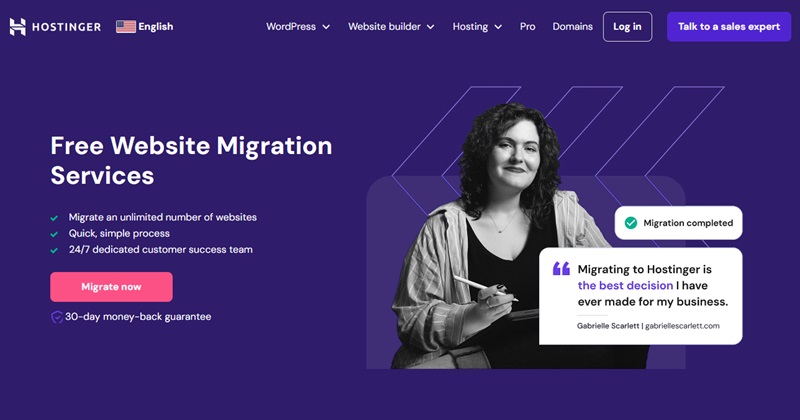
For examples: Hostinger offers free website migration, allowing you to move your existing site with ease. GreenGeeks, on the other hand, simplifies SSL management for users with their built-in SSL tool.
Best Cheap Hosting by Website Type
Different website types have different hosting needs – even when you’re on a budget. A blog doesn’t need the same resources as a WooCommerce store, and a portfolio site won’t use hosting the same way a nonprofit does.
To help you choose smarter, we’ve broken down the best cheap hosting options based on your website’s purpose — so you can get the right balance of price, performance, and features from day one.
For Blogs and Personal Sites
Bloggers and hobby site owners need hosting that’s easy to manage, WordPress-ready, and reliable even at low cost. Look for providers that include one-click WordPress installs, decent storage, and free SSL.
Hostinger and Verpex offer some of the best starter plans for under $3/month — fast enough for growing traffic and simple to set up.
See our best hosting picks for blogs.
For eCommerce and WooCommerce
Running an online store demands more power — even on a budget. You’ll need hosting that supports WooCommerce, provides SSL, and offers decent PHP worker capacity to handle checkout processes smoothly.
Explore our hosting recommendations for eCommerce here.
For Online Portfolios and Freelancers
Freelancers and creatives need sleek, lightweight websites with uptime guarantees and easy visual tools. Site builders or simple WordPress themes often do the trick — no overkill required.
For portfolios or personal sites, look for cheap hosts with easy drag-and-drop builders or one-click installers for CMS platforms, and good uptime so your portfolio is always available to potential clients.
Check out our list of best personal website hosting here.
For Students, Nonprofits, or Informational Sites
If you’re launching a site for a school project, nonprofit cause, or low-traffic info site, simplicity and cost take priority. Bonus points if the host includes email accounts and backups without charging extra.
See our full list of Best Cheap Hosting for Nonprofit Sites

